

A 5-watt handheld talking directly to another handheld might reach a few miles on a good day. Route that same handheld through a repeater sitting on a mountaintop, and you can suddenly cover an entire metro area. Repeaters are the single biggest reason a cheap radio is useful for real communication, and understanding them is the step that turns a new Technician from someone who owns a radio into someone who can actually talk to people.
This guide explains what a repeater is, how it works, and exactly how to program your radio to use one. It assumes you have a license and a basic radio but have never successfully keyed up a repeater. By the end you will know what an offset is, why your radio needs a tone, and how to find every active repeater near you.
What Is a Ham Radio Repeater?
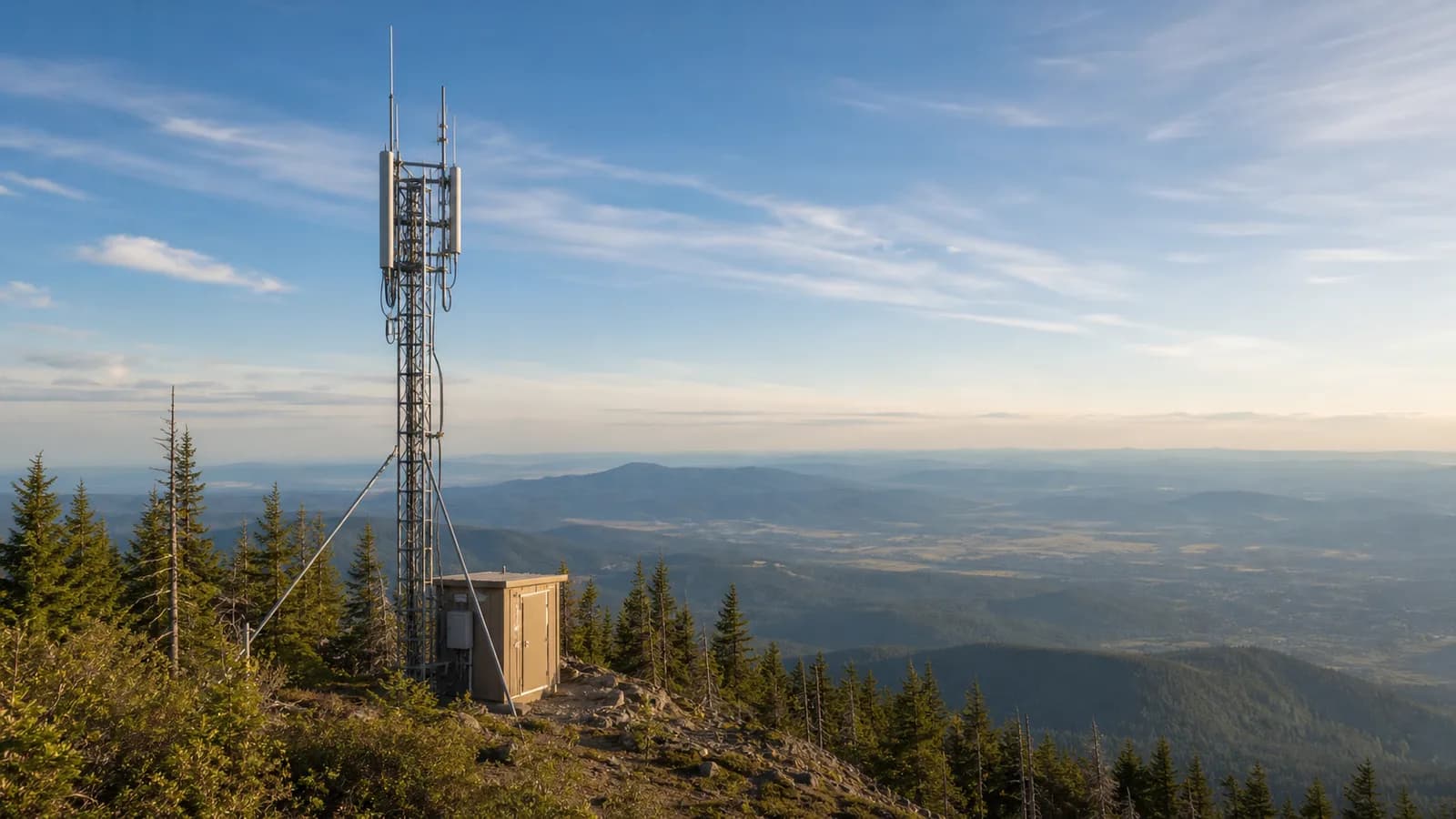
A repeater is an unattended, automated station that listens on one frequency and simultaneously retransmits everything it hears on another frequency, usually from a high location like a tower, tall building, or mountaintop. Because it sits up high and runs more power into a better antenna than you ever could from a handheld, it dramatically extends your range.
The key idea is that a repeater does two things at once: it receives your weak signal and rebroadcasts it, in real time, to everyone else listening. You transmit up to the repeater on its input frequency, and the repeater transmits back down on its output frequency. Everyone in range of the repeater hears you, even if they are nowhere near you directly.
This is fundamentally different from simplex, where two radios talk directly on a single shared frequency with nothing in between. Simplex is simple and does not depend on any infrastructure, but it is limited to line-of-sight between the two radios. A repeater trades that independence for reach. Most repeaters are owned and maintained by local radio clubs or individual hams who cover the cost and upkeep, and they are almost always open for any licensed operator to use.
How Repeaters Work
Follow the signal path and the whole thing makes sense. You key up and transmit on the repeater's input frequency. The repeater's receiver, sitting on a hilltop, captures your signal. A controller inside the repeater decides whether to relay it, and the repeater's transmitter immediately rebroadcasts your audio on the output frequency, which is the frequency everyone tunes to listen. All of this happens with imperceptible delay, so it feels like a normal conversation.
The reason a repeater needs two different frequencies is physics. A transmitter and a receiver cannot operate on the same frequency in the same box at the same time without the powerful transmit signal overwhelming the sensitive receiver. A component called a duplexer isolates the two, letting the repeater receive a faint signal on one frequency while blasting out a strong one on another, through a single antenna, without deafening itself.
Two other details matter in daily use. Most repeaters run a time-out timer that cuts off any single transmission that runs too long, usually around three minutes, to stop a stuck or long-winded operator from hogging the machine. If you talk too long you will get "timed out" and have to release and re-key. And coverage depends far more on the repeater's antenna height and location than on raw power: a well-sited 2-meter or 70-centimeter repeater commonly covers a 10 to 50 mile radius, and a mountaintop machine can reach much farther.
Understanding Frequency Offsets
The offset is the difference between the frequency you transmit on and the frequency you receive on. When you program a repeater, your radio needs to know both the output frequency (which you tune to) and how far to shift when you transmit. That shift is the offset, and it is standardized by band.
On the 2-meter band, the standard offset is 600 kHz. A repeater might transmit (and you listen) on 146.940 MHz and receive your signal on 146.340 MHz, a negative 600 kHz offset. Repeaters in the upper part of the band typically use a positive offset instead. On the 70-centimeter band, the standard offset is 5 MHz: a repeater output on 444.500 MHz would take your transmission on 449.500 MHz, a positive 5 MHz offset. The 1.25-meter (220 MHz) band uses a 1.6 MHz offset, and 6 meters varies by region.
Your radio handles this automatically once you set it. You enter the output frequency, tell the radio the offset direction (plus or minus) and, on most modern radios, the correct standard offset for that band is applied by default. The most common beginner mistake is programming the wrong offset direction, which means your transmit signal lands on the wrong frequency and the repeater never hears you. If you understand the difference between the VHF and UHF bands and how the ham bands are laid out, the offset conventions stop feeling arbitrary.
CTCSS and DCS Tones
Here is the setting that trips up almost every new operator: the access tone. Most repeaters will not relay your signal unless your radio sends a specific sub-audible tone along with your voice. This is CTCSS, the Continuous Tone-Coded Squelch System, often called a PL tone (a Motorola trademark that stuck).
A CTCSS tone is a low-frequency tone, somewhere between 67.0 and 254.1 Hz, that your radio transmits continuously underneath your audio. It is below the range you normally hear, so it does not affect your voice. The repeater is programmed to open only when it detects its matching tone. This exists to keep the repeater from being triggered by random noise, distant stations, and interference, which matters enormously in crowded areas where several repeaters share nearby frequencies. Common tones on 2 meters include 100.0, 103.5, 110.9, 123.0, and 141.3 Hz.
DCS, Digital-Coded Squelch, is a newer digital alternative that uses a standardized three-digit code, such as 023 or 754, instead of an analog tone, but it serves the same gatekeeping purpose. You will encounter CTCSS far more often.
If you can hear a repeater perfectly but no one answers you, a missing or wrong tone is the overwhelmingly likely cause. The repeater is receiving you fine; it just is not opening up because your tone does not match. Every repeater listing publishes its required tone, so program it exactly.
Finding Repeaters Near You
You cannot use a repeater you do not know exists. Fortunately, finding them is easy.
The single best resource is RepeaterBook, a free, community-maintained database available as a website and a mobile app. Enter your location, filter by band (2 meters and 70 centimeters are where most activity lives), and you get a list of nearby repeaters with their output frequency, offset, and access tone already listed. That is everything you need to program one. RepeaterBook lets you filter by mode, so you can separate ordinary analog FM repeaters from digital ones, and it shows which machines are linked to wider networks.
The ARRL also publishes a Repeater Directory, and most local radio clubs list their repeaters on their websites. If you are brand new, the fastest path is to open RepeaterBook, sort by distance, and pick the two or three closest 2-meter repeaters to program first. One of the underappreciated features of CHIRP, the free radio-programming software, is that it can import directly from RepeaterBook, pulling frequencies, offsets, and tones into your radio without you typing a single number.
Programming a Repeater Into Your Radio
Once you have a repeater's details, programming it follows the same steps on any radio:
- Find the repeater in RepeaterBook and note three things: the output frequency, the offset (magnitude and direction), and the CTCSS/DCS tone.
- Enter the output frequency as the channel's receive frequency.
- Set the offset direction (plus or minus). Most radios apply the standard offset for the band automatically once you pick the direction.
- Set the transmit CTCSS tone to the exact value listed. This is the step beginners skip.
- Give the channel a clear name, like "W1ABC 2m" or "Denver 70cm," so you know what it is later.
- Save it, then test by listening for other traffic and giving a short call with your call sign.
Programming by hand through a radio's menu is tedious and error-prone, which is why most operators use CHIRP or the manufacturer's software once they have more than a few channels. Our Baofeng programming walkthrough covers the full CHIRP workflow if your radio supports it. If you hear the repeater's courtesy beep or tail after you release the key, congratulations, you are in.
Repeater Etiquette
Repeaters are shared resources with a well-established set of manners.
- Identify with your call sign at least every 10 minutes during a conversation and at the end of your last transmission. This is an FCC requirement, not just etiquette.
- Leave gaps between transmissions. Pause a second or two before replying so a station with emergency or time-sensitive traffic can break in. Say "break" to interrupt if you need to.
- Do not kerchunk. Keying up just to hear the repeater respond, without identifying, is both rude and a rules violation.
- Move long conversations to simplex. If you and the other station can hear each other directly, drop off the repeater and continue on a simplex frequency to free the machine for others.
- Keep it clean and non-commercial. Amateur radio prohibits business communications, music, and profanity. Repeater communities police this quickly.
- Yield to nets and emergencies. Many repeaters host scheduled nets. Listen before transmitting, and always stand down for genuine emergency traffic.
Linked Repeaters and Wide-Area Networks
Some repeaters are connected to each other over the internet, which turns a local machine into a gateway to the world. If you key up a linked repeater, your voice can come out of a repeater in another state or another country.
Several systems do this. IRLP (the Internet Radio Linking Project) and AllStar Link connect analog FM repeaters over the internet. EchoLink lets you reach linked repeaters and other operators from a computer or phone app, which is handy when you are traveling. On the digital side, Yaesu's Wires-X links System Fusion repeaters, and both D-STAR and DMR are built around wide-area connectivity from the ground up. These networks are active around the clock and do not depend on radio propagation between sites, so a linked repeater can be reliably busy at 2 a.m. when a standalone machine would be silent.
Digital Mode Repeaters
Most repeaters you will encounter are analog FM, but digital repeaters are increasingly common, and they need a matching digital radio to access. The three main systems each work a little differently, and our digital modes guide covers them in depth.
DMR repeaters use a clever trick called TDMA to fit two independent conversations onto a single frequency at once, splitting it into two time slots. DMR also uses talkgroups: you select which talkgroup to transmit on, and the repeater and its network route your audio accordingly, often nationally through networks like BrandMeister. D-STAR, an open standard with Icom as the main manufacturer, and Yaesu's System Fusion take different approaches to the same goal of routing calls across linked repeaters. The tradeoff across all of them is that digital voice tends to stay clear until the signal weakens past a threshold, then breaks up into choppy, robotic audio and drops out more abruptly than analog's gradual fade into static.
Equipment: Why Your Antenna Matters More Than Your Radio
The most common frustration for new hams is hearing a repeater faintly, or not being able to hit it at all. Nine times out of ten, the fix is the antenna, not the radio.
The stubby "rubber duck" antenna that ships with a handheld is a compromise. Swapping it for a better aftermarket whip, or getting the antenna up higher, often makes the difference between noise and a clean signal. For serious repeater work, a mobile radio with a roof-mounted antenna, or a base antenna up on a mast, will reach repeaters a handheld cannot touch, which is why many operators keep a mobile rig in the car for exactly this. Raw transmit power helps at the margins, but a 5-watt handheld with a good antenna and a clear path will usually outperform a 10-watt handheld with a stock whip indoors.
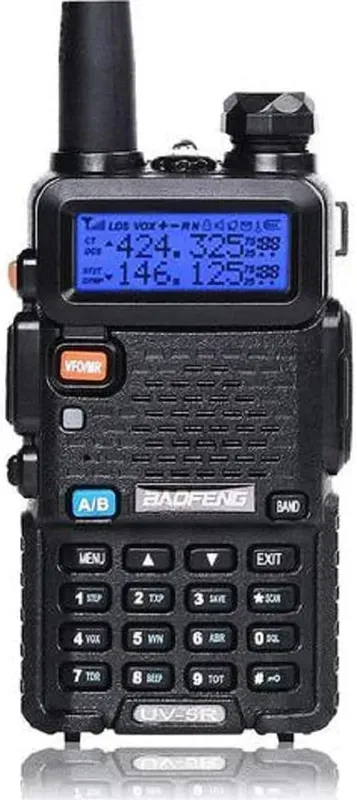
For getting started on repeaters, a capable dual-band handheld is all you need. The Baofeng UV-5R is the radio more new hams learn on than any other: it is around $17.16, it covers 2 meters and 70 centimeters, it supports CTCSS and DCS tones, and it is CHIRP-programmable so you can load repeaters straight from RepeaterBook.
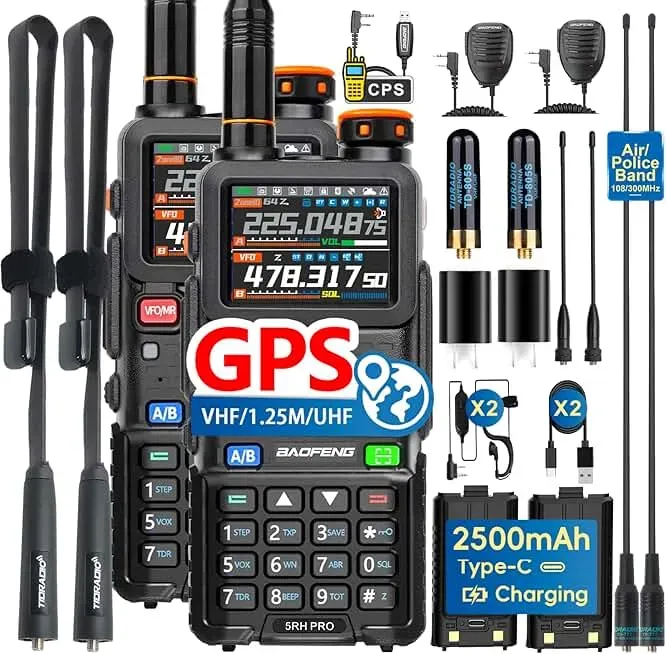
If you want more reach to hit weaker or more distant repeaters without stepping up to a mobile, the Baofeng BF-5RH PRO pushes up to 10 watts, carries an IP54 weather rating, and adds APRS, while keeping the same simple tone and offset programming. More power will not fix a bad antenna, but combined with an upgraded whip it noticeably extends your usable range.
If you are shopping for your first radio to do this with, our best radios for beginners page ranks the current options on real specs, and the best handheld ham radios roundup goes deeper.
Troubleshooting Repeater Access
When a repeater is not cooperating, the symptom usually points straight to the cause:
- You hear the repeater but no one answers you. Almost always a missing or wrong CTCSS tone. Verify the tone in RepeaterBook and reprogram it.
- You cannot hear the repeater at all. Wrong frequency, out of range, or a weak antenna. Confirm the output frequency, move to higher ground or near a window, and consider a better antenna.
- The repeater cuts you off mid-sentence. You hit the time-out timer. Keep transmissions under a couple of minutes and pause between them.
- You get feedback or a bad echo. Usually overdeviation or you are keyed up near another radio; lower your power and check your setup.
- The repeater seems dead. It may be offline for maintenance. Check its status on RepeaterBook or try another nearby machine.
Repeaters are the backbone of everyday VHF and UHF operating, and they are central to organized emergency communication, where a well-placed machine keeps a whole region talking when other infrastructure fails. Get comfortable with one local repeater, and the rest of the hobby opens up. If you are still working toward your license, start with our licensing guide, and if you want to understand how far your signal really travels, our guide to ham radio range does the math.