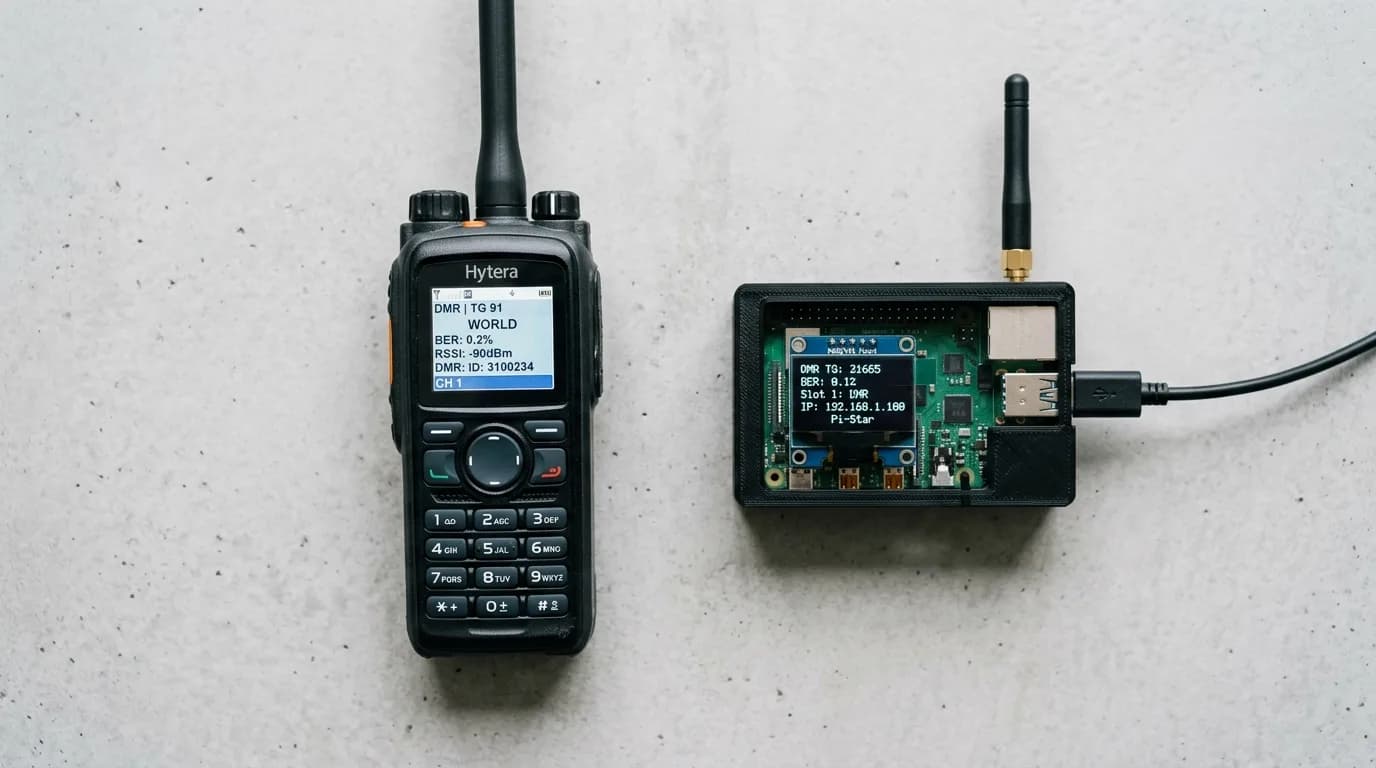

DMR stands for Digital Mobile Radio. It's a digital voice standard originally designed for commercial two-way radio systems and published by ETSI (the European Telecommunications Standards Institute) in 2005. Ham radio operators adopted it because DMR radios are cheap, the protocol is efficient, and the global repeater infrastructure is massive.
It also has a reputation for being the most confusing thing in amateur radio. That reputation is partly earned. FM is plug-and-play: pick a frequency, set a tone, talk. DMR requires you to understand talkgroups, time slots, color codes, and codeplugs before you can make your first contact. But once the concepts click, the payoff is real. You get crystal-clear digital audio, worldwide connectivity through internet-linked networks, and access to a mode that's growing faster than any other in amateur radio.
How DMR Works
Analog FM radio is simple. One conversation occupies one frequency. If someone else wants to talk on that same frequency, they wait.
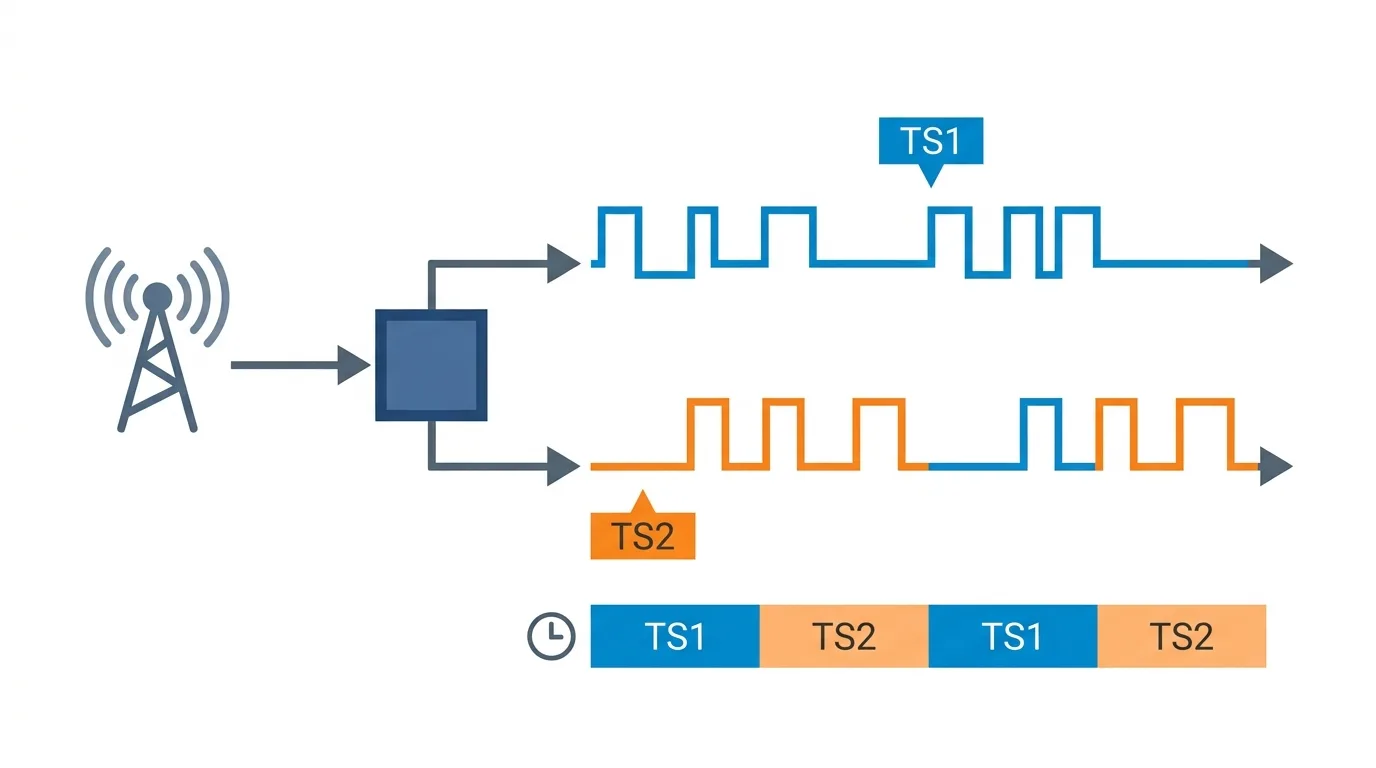
DMR uses a technique called TDMA, or Time Division Multiple Access. It splits a single 12.5 kHz channel into two alternating time slots, each roughly 30 milliseconds long. Slot 1 and Slot 2 take turns, switching back and forth so fast that both conversations sound continuous to the human ear. The result: two simultaneous conversations on one frequency, using the same bandwidth that analog FM uses for one.
Your voice is digitized using the AMBE+2 vocoder (Advanced Multi-Band Excitation), compressed into data packets, and transmitted in bursts during your assigned time slot. On the receiving end, the process reverses. The vocoder reconstructs the audio, and what comes out of the speaker is a clean, consistent signal without the static and fade that analog FM produces at the edge of range.
This burst transmission has a side benefit: battery life. Your radio only transmits during its time slot, not continuously. In practice, a DMR radio on a full charge will outlast the same radio running analog FM by a meaningful margin.
DMR Tiers: What Matters for Ham Radio
The ETSI standard defines three tiers. Only one of them matters to most amateur operators.
Tier I is license-free, low-power, simplex-only operation. Think of it as the digital equivalent of FRS. No repeaters, no infrastructure. Ham operators don't use Tier I.
Tier II is where amateur radio lives. Tier II is a conventional (non-trunked) repeater-based system using two-slot TDMA. Every DMR repeater you'll hit as a ham, every hotspot you'll set up at home, and every talkgroup you'll join operates on Tier II. When people say "DMR" in a ham radio context, they mean Tier II.
Tier III is trunked radio for large commercial and public safety deployments. Multiple repeater channels are managed by a central controller that dynamically assigns channels to users. Think city police departments, airport operations, utility companies. As a ham, you won't use Tier III, but you might hear it mentioned in the context of commercial Motorola or Hytera systems.
The Concepts You Need to Know
DMR has more moving parts than analog FM. Here are the ones that actually matter when you're getting started.
Talkgroups
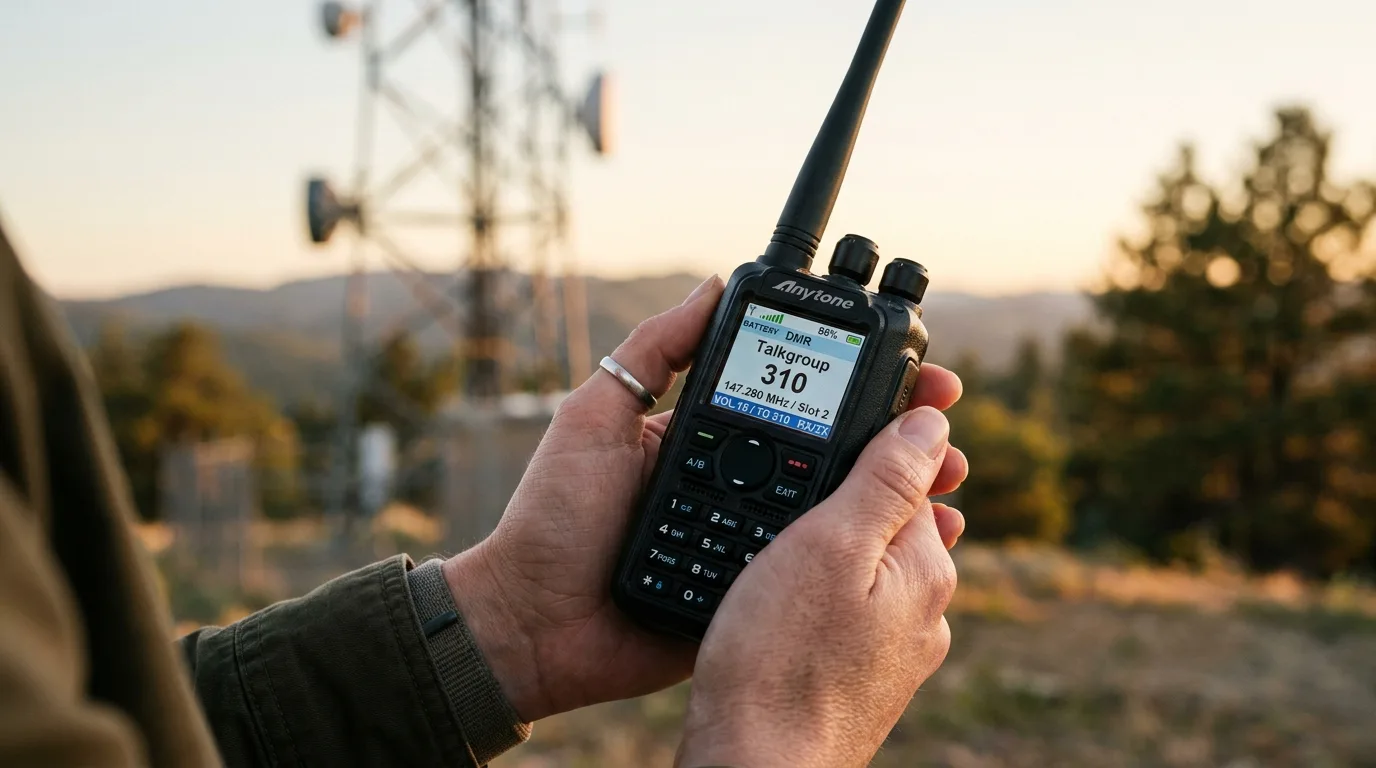
A talkgroup is a virtual channel. Instead of assigning each conversation to a specific frequency (like analog FM does), DMR assigns conversations to numbered groups. Multiple talkgroups can share the same repeater frequency by using different time slots or by being activated on demand.
Think of a repeater as a building with many rooms. Each talkgroup is a room. When you select a talkgroup and transmit, everyone monitoring that talkgroup hears you. Everyone in other talkgroups on the same repeater does not.
Some talkgroups are local. They stay on one repeater. Others are linked regionally or worldwide through internet-connected networks. Talkgroup 91 on Brandmeister, for example, is the worldwide English-language calling channel. Key up on TG 91 and operators across the planet hear you. TG 3100 is the US nationwide talkgroup. TG 310xx covers individual US states (TG 31006 is California, TG 31036 is New York, and so on).
The talkgroup system is what gives DMR its flexibility. A single repeater can host a local club net, a statewide net, and a worldwide calling channel simultaneously, all on one frequency pair, using two time slots.
Time Slots
Every Tier II DMR repeater has two time slots: TS1 and TS2. Each is an independent channel. A repeater's sysop (system operator) decides which talkgroups are assigned to which time slot.
A common setup: TS1 carries wide-area and worldwide talkgroups (TG 91 worldwide, TG 3100 US nationwide). TS2 carries local and regional talkgroups (the state talkgroup, the local club talkgroup). This way, a local conversation on TS2 doesn't block worldwide traffic on TS1, even though both are happening on the same frequency.
When you program your radio, you need to know both the talkgroup number and the time slot it's assigned to on that specific repeater. Getting one right and the other wrong means you transmit into a slot nobody is listening to.
Color Codes
A color code is the DMR equivalent of a CTCSS/PL tone in analog FM. It's a number from 0 to 15 that acts as an access filter. Your radio's color code must match the repeater's color code, or the repeater ignores your transmission.
Most ham DMR repeaters use color code 1. In areas where multiple DMR repeaters share the same frequency (co-channel operation), different color codes prevent them from interfering with each other. In practice, you'll set your color code to 1 for most repeaters and only change it when a specific repeater's listing says otherwise.
DMR ID
Every DMR user needs a unique numeric identifier called a DMR ID. This is your digital callsign. When you transmit, your DMR ID is embedded in the data stream, and receiving radios display your callsign and name on their screen.
You register for a DMR ID at RadioID.net. It's free. You'll need your amateur callsign and it takes about a day to get approved. Once you have your ID, you program it into your radio. Without a valid DMR ID, most repeaters and networks will reject your transmissions.
Codeplugs
A codeplug is the configuration file that tells your DMR radio everything it needs to know: frequencies, time slots, talkgroups, color codes, contacts, zones, and your DMR ID. In analog FM, programming a radio means entering a frequency and a PL tone. In DMR, programming means building (or downloading) a codeplug.
This is where DMR's learning curve lives. A codeplug for a single metro area might contain dozens of channels across multiple repeaters, each with different talkgroup and time slot assignments. Most new DMR operators download a pre-built codeplug for their area from a club website or a community resource, then modify it to their needs.
The software you use to write a codeplug to your radio is called CPS (Customer Programming Software). Each manufacturer has its own CPS application. (For analog channels on DMR radios, many operators use CHIRP instead.) AnyTone radios use the AnyTone CPS, Radioddity radios use their own version, and TYT radios use a different one. The interfaces vary, but the underlying concepts are the same.
The Networks: Brandmeister, TGIF, and Others
DMR repeaters don't operate in isolation. Most are connected to the internet and linked into large networks that route talkgroup traffic between repeaters worldwide. The two networks you'll encounter most often as a ham are Brandmeister and TGIF.
Brandmeister is the largest amateur DMR network in the world. It connects thousands of repeaters and hotspots across six continents. Brandmeister is community-run, supports a massive list of talkgroups, and has a self-service dashboard at brandmeister.network where you can see live traffic, manage your hotspot connections, and even create temporary talkgroups. If you're setting up a hotspot at home, you'll almost certainly connect it to Brandmeister first.
TGIF (The Group Is Found) is a smaller, more curated network. It runs its own set of talkgroups and is known for a more relaxed, ragchew-friendly culture. Some operators prefer it over Brandmeister for general conversation.
Other networks include DMR-MARC (the original amateur DMR network, now less active) and various regional networks. Most repeaters connect to one network. Some support multiple through bridging. Your repeater's listing on RepeaterBook or the network's own dashboard will tell you which network it's on.
Hotspots: DMR from Home
A DMR hotspot is a small, low-power personal access point that connects your radio to a DMR network over the internet. It's a tiny board (usually running Pi-Star or WPSD firmware on a Raspberry Pi or a standalone device like the OpenSpot) with a radio module that creates a local DMR "repeater" in your house with a range of about 10 to 50 feet.
Why would you want one? Because DMR repeater coverage is not universal. If you don't have a DMR repeater within range of your home, a hotspot lets you access every talkgroup on Brandmeister, TGIF, or any other network using just your handheld radio and your home internet connection.
Hotspots are also how most operators experiment with DMR for the first time. You can set one up for under $100, connect it to Brandmeister, and start exploring talkgroups without worrying about repeater etiquette or time slot conflicts on shared infrastructure.
Popular hotspot hardware includes the MMDVM (Multi-Mode Digital Voice Modem) boards, ZUMspot, Jumbospot, and the SharkRF OpenSpot series. The MMDVM-based devices are cheaper and run open-source firmware. The OpenSpot is a plug-and-play commercial product that costs more but requires less setup.
DMR vs D-STAR vs System Fusion
DMR is not the only digital voice mode in amateur radio. D-STAR (developed by ICOM and JARL) and System Fusion (Yaesu's C4FM protocol) are the other two major options. Each has trade-offs.
D-STAR was first. It's been in amateur radio since the early 2000s and has a mature reflector network. D-STAR radios auto-register your callsign, so there's no DMR ID equivalent to set up. The downside: D-STAR hardware is almost exclusively ICOM, and the radios tend to be more expensive. D-STAR audio quality is generally considered slightly inferior to DMR due to its older codec.
System Fusion (C4FM) is Yaesu's entry. It's the easiest to use because Fusion repeaters can auto-detect analog and digital signals, so you can use a Fusion repeater without programming talkgroups or codeplugs. The Wires-X network provides room-based connectivity similar to talkgroups. Fusion is popular but has fewer repeaters globally than DMR.
DMR wins on hardware cost and repeater count. A capable DMR handheld like the Baofeng DM32 costs $49.99. The global repeater count for DMR dwarfs both D-STAR and Fusion. The tradeoff is complexity: DMR has the steepest learning curve of the three.
If you're choosing your first digital mode, the practical question is which has repeaters near you. Check RepeaterBook for your area. If the nearest digital repeaters are DMR, start with DMR. If they're Fusion or D-STAR, start there. The mode with local infrastructure is always the right first choice.
Is Your DMR Radio FCC Legal?
This question comes up constantly, and most answers you will find are wrong in both directions. Some people insist a Baofeng DMR radio is illegal because it "isn't FCC certified." Others assume any radio sold on Amazon is cleared for anything. Neither is right, and the FCC's own equipment authorization database settles it.
We pulled the grants for every DMR radio in our catalog. Here is what they actually hold:
| Radio | FCC ID | Rule parts on the grant |
|---|---|---|
| AnyTone AT-D878UVII Plus | T4KD878UVII | 15B, 15C, 90 |
| AnyTone AT-D890UV | T4K-D890UV | 15C, 90 |
| AnyTone AT-D168UV | T4K-D168UV | 90 |
| Ailunce HD1 | 2AAR8AILUNCEHD1 | 90 |
| BTECH DMR-6X2 PRO | 2AGND6X2PRO | 15B |
| Baofeng DM32 | 2AJGM-DM32UV | 15B |
| Baofeng DM-32UV Pro | 2AJGM-DM32UV | 15B |
| Baofeng UV-21R | 2AJGM-UV21R | 15B |
| Baofeng DM-1701 | 2AJGM-DR1801 | 15B |
| Radioddity GD-88 | 2AN62-GD88 | 15B |
A clear split runs down that table, and it matters.
Part 15B is not a transmitter certification. It covers the radio as a digital device, meaning the unintentional emissions from its internal electronics. It says nothing about the transmitter. Most budget DMR handhelds hold only this.
That is still perfectly legal on the amateur bands. This is the part people get wrong. Part 97 does not require your transceiver to be certificated. Amateur operators may build their own equipment or use uncertificated gear, and the responsibility for clean, compliant transmissions sits with the licensed operator rather than with a grant on the box. A Part 15B-only DMR radio is a legitimate ham radio.
Part 90 is a transmitter certification, and it changes what else you may do. Part 90 covers private land mobile, the business and public safety pool. Those services do require certificated equipment. So the four radios above carrying a Part 90 grant can, with the appropriate licence, be used on business frequencies. The Part 15B-only radios cannot, no matter what the listing claims.
The practical takeaway. If you are a ham operating on amateur frequencies, the rule parts on the grant do not restrict you and you can buy on merit. If you have any thought of using the radio for business, search and rescue, a volunteer fire department, or anything else outside Part 97, you need a Part 90 grant specifically, and only some DMR radios have one.
One caution worth stating plainly: a Part 90 grant does not by itself authorise you to transmit on business frequencies. It makes the equipment eligible. You still need the licence for the service.
Every FCC ID above was checked against the FCC equipment authorization database rather than taken from a product listing. Manufacturer marketing gets this wrong often enough that we stopped trusting it. This is general information rather than legal advice, and if you are operating outside the amateur service it is worth confirming against your own licence conditions.
What You Need to Get Started
Getting on DMR requires a few things that analog FM does not:
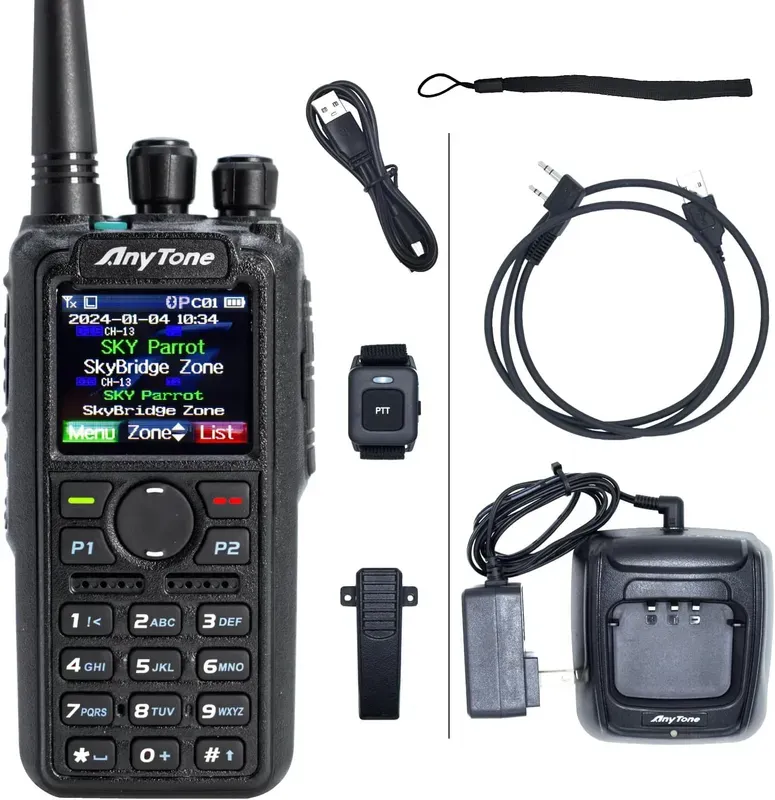
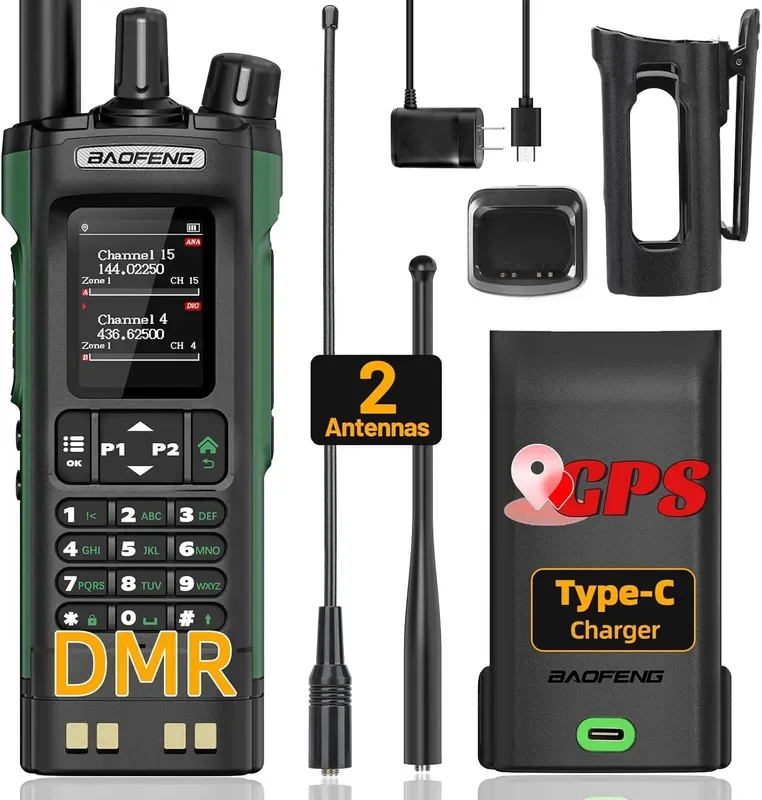
A DMR-capable radio. Not every ham radio does DMR. You need one with a DMR chipset. The AnyTone AT-D878UVII Plus is the most popular DMR handheld in amateur radio right now. Good screen, solid receiver, well-supported by the community, and one of the four radios in our catalog whose grant covers Part 90 land-mobile operation alongside its amateur use. The Baofeng DM32 is the budget entry point at $49.99, which is remarkable for a dual-band DMR handheld, though you give up the polish and the community codeplug support.
A DMR ID. Register at RadioID.net with your callsign. Free, takes about a day.
A codeplug. Download a pre-built one for your area or build your own in CPS. Your local DMR club or repeater group almost certainly has one available.
A repeater or hotspot. Check RepeaterBook for DMR repeaters near you. If there aren't any within range, pick up a hotspot and connect to Brandmeister. For hardware options, see our best handheld ham radios roundup.
A Technician license (minimum). DMR operates on the 70cm band (420-450 MHz) and the 2m band (144-148 MHz), both of which require at least a Technician class license. Most DMR repeaters operate on 70cm. If you're not yet licensed, our guide on how to get your ham radio license covers the process, and our practice quiz lets you test yourself.
If you're looking for your first DMR radio, check our best DMR radios page where we've scored and compared the full lineup.